7 images
Click to view gallery
Prompt Suite
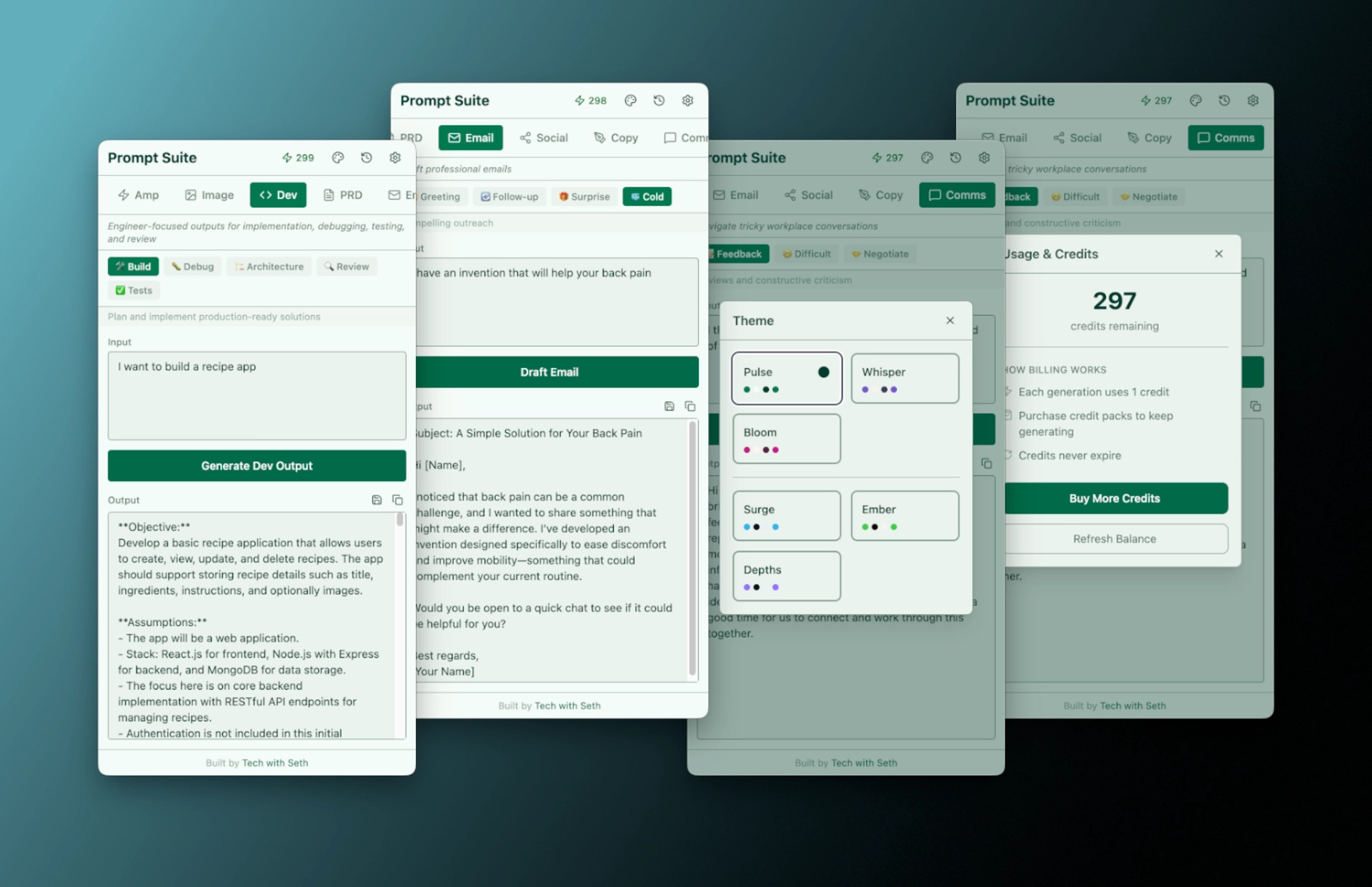
A focused Electron tray app for shipping high-quality AI outputs fast. 11 tools. 52 modes. One tray icon.
11 tools. 52 modes. One tray icon.
- ⚡ Amp — Turn a rough prompt into a precise, comprehensive, creative, contextual, or urgent one
- 🖼️ Image — Generate photorealistic, artistic, product, character, technical, or scene prompts
- 💻 Dev — Build, debug, architect, review, test, and plan migrations
- 📄 PRD — Generate lean, enterprise, technical, or executive product docs
- 📋 Propose — Create business cases, project briefs, RFCs, and charters
- 📊 Reports — Write status updates, executive summaries, retros, and incident reports
- 📅 Meets — Build agendas, meeting summaries, follow-ups, and standup notes
- ✉️ Email — Draft greetings, follow-ups, good-news messages, cold outreach, and apologies
- 📣 Social — LinkedIn posts, Twitter/X threads, engagement replies, newsletters, and Threads
- ✏️ Copy — Headlines, CTAs, landing page sections, ad copy, and product descriptions
- 💬 Comms — Navigate feedback, difficult conversations, negotiations, and announcements
How It Works
- Click the tray icon — a compact window appears above your taskbar
- Pick a tool and mode — choose from 52 specialized prompt templates
- Add your context — describe what you need in the text field
- Generate and go — copy the result to your clipboard or save it as Markdown
What you get
- 52 prompt modes across 11 tools
- One-click copy or save to Markdown
- 6 color themes (3 light, 3 dark)
- Prompt history with restore
- Mac, Windows, and Linux
- Credits never expire
Build your own tray app
Curious how Prompt Suite was built? Follow the step-by-step guide to creating Electron tray apps from scratch.